Office Ergo

Understand how to promote healthier posture, reduce strain, and support employee comfort during computer-based work. These resources guide teams through practical adjustments to seating, monitor height, and input device placement — without needing to replace existing furniture.

Chair Adjustment

It is important that your chair is adjustable so that you can change its position to accommodate the variety of tasks you do while at your workstation. Proper use of an adjustable ergonomic chair, which features armrests that change in height, width and pivot, will help ensure that your forearms and thighs are parallel to the floor, while your feet are resting comfortably on the floor or a footrest. Armrests should only be used to help you get out of your chair, or for resting your arms during work breaks.

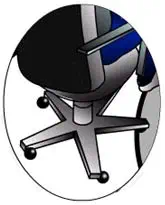
How to adjust your Chair and Keyboard

In this video, you’ll learn how to position your chair, align your keyboard, and maintain a neutral posture that supports your body throughout the workday. When your feet are flat on the floor, your back is supported, and your wrists stay aligned with your forearms, you reduce strain on your neck, shoulders, and hands.